Enterprise Apps
aibizmod delivery
Strategy, implementation, launch, and support with one connected technical team.
What This Service Solves
Identifying the hurdles
Enterprise mobile applications fail when they are built as generic consumer-style apps applied to internal business workflows. Field technicians using an app that does not match how their work actually flows abandon it within weeks. Employee-facing apps that require connectivity lose utility the moment a field worker goes out of range. Internal apps with poor MDM integration cannot be deployed or updated centrally, creating version fragmentation across device fleets.
- Field workforce using paper forms or spreadsheets because the existing app does not match their workflow
- Internal apps without offline capability that are unusable in locations without reliable connectivity
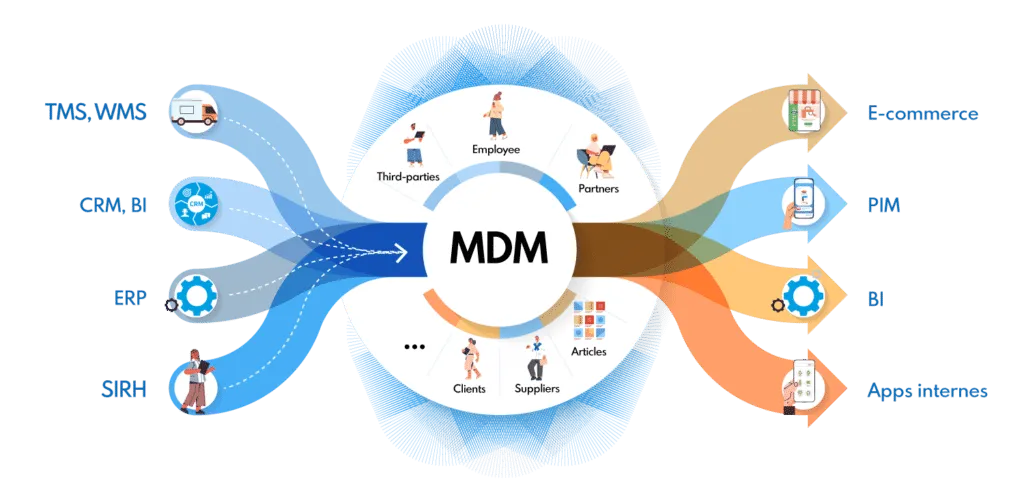
- No MDM integration, so apps cannot be deployed, updated, or remotely managed centrally
- Enterprise systems integration absent, so field workers re-enter data already in another system
Our approach & solution
We build enterprise mobile applications around the specific workflows they need to support, with offline capability, enterprise system integrations, and MDM-compatible deployment. The application is designed from field research into how the work actually happens, not from assumptions about what the workflow should be.
- Workflow design based on how the role actually operates, not an assumed idealised process
- Offline-first architecture that queues actions and syncs when connectivity is restored
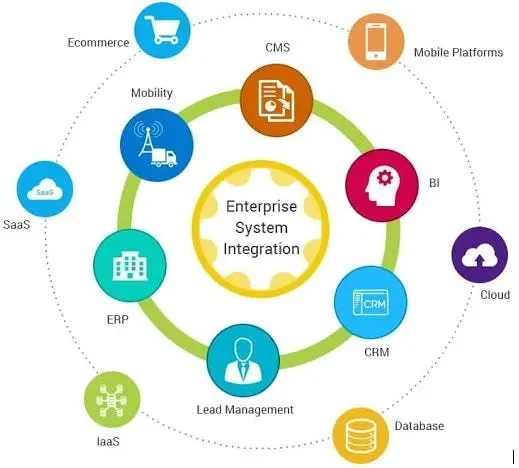
- Integration with ERP, CRM, HRMS, or other enterprise systems through API or direct connector
- MDM-compatible packaging for central deployment and update management
What This Service Includes
Engineered capabilities and modular architectures designed to scale your operations with end-to-end reliability.

Field Service App Development
Build apps for field technicians covering job dispatch, navigation, site data capture, photo evidence, and digital signature — with full offline support.
Employee Self-Service Apps
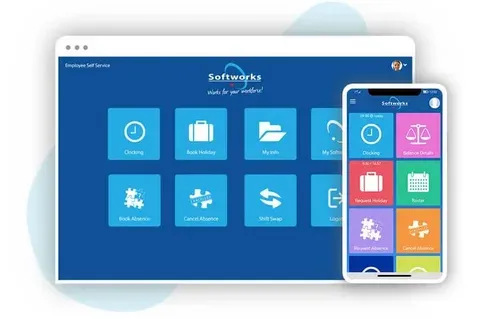
Build internal apps for HR workflows including leave requests, shift management, payslip access, and expense claims — integrated with your HRMS.
Enterprise System Integration
Integrate mobile applications with SAP, Oracle, Microsoft Dynamics, Salesforce, or custom enterprise systems via REST API or system-specific connectors.
MDM and Enterprise Deployment
Configure applications for deployment through Microsoft Intune, Jamf, or VMware Workspace ONE for centralised management of enterprise device fleets.
Offline-First Architecture
Design applications with local data persistence and sync queues so business-critical functions work without connectivity and data is reconciled when the device reconnects.
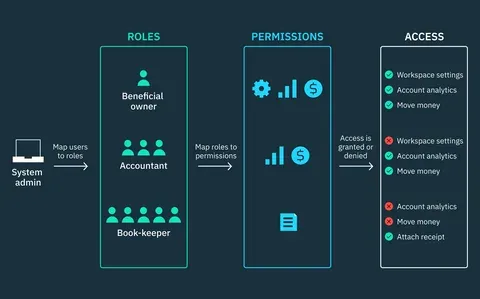
Role-Based Access Control
Implement role-based access within the app so different employee roles see only the functions and data relevant to them, with authentication through your existing identity provider.
How Businesses Use This
Real-world applications across industries — drag or click the cards to explore.


Field Engineer Job Management App
A utilities company replaced paper job cards with a mobile app for field engineers covering job assignment, site arrival, work completion, and sign-off — with full offline support in remote locations.
Business Outcomes You Can Expect
Replaces Paper Without Increasing Friction
Enterprise apps that are genuinely easier to use than the paper forms they replace achieve adoption. Apps that add steps or require connectivity where paper did not are rejected by the workforce.
Role-Appropriate Access
Role-based access controls show each employee the data and functions relevant to their role, reducing complexity and the risk of inappropriate data access.
Centrally Managed Device Fleet
MDM-compatible deployment means updates, configuration changes, and app rollout are handled centrally rather than requiring each device to be updated individually.
Enterprise Systems Kept Current
Integration between the mobile app and enterprise systems means data flows directly without re-entry, reducing administrative overhead and the data quality problems of manual transfer.
Operational in Disconnected Environments
Offline-first architecture means field workers can complete their jobs regardless of connectivity, with data synced automatically when they return to coverage.
Apps Built for How Work Actually Happens
Workflow design grounded in how the role actually operates produces apps that employees use rather than avoid, driving the adoption that makes the investment worthwhile.
Questions Before We Start
A Few Things Clients Usually Ask
Find answers to common questions about Enterprise Apps solutions, setup procedures, scoping timelines, and deliverables.
How do you design an enterprise app that field workers will actually use?
Field worker apps fail most often because they were designed by office-based staff making assumptions about the workflow rather than observing it. We start every enterprise app project with field research — going to the worksite, watching the workflow, understanding the connectivity constraints, the device types, and the environmental conditions. The app is designed around what we observe, not what is assumed.
What does offline-first mean in practice?
An offline-first app stores data locally on the device and queues all write operations when offline. When connectivity is restored, it syncs pending changes to the backend, handling any conflicts between local and server state. The user experience is uninterrupted regardless of connectivity — they complete their work in the app, and the sync happens in the background.
Can enterprise apps integrate with our SAP or Oracle system?
Yes, though the complexity depends on which system and what integration is required. SAP and Oracle expose APIs that most integration scenarios can use. Some older enterprise systems expose data through file exports or scheduled jobs rather than real-time APIs, which requires a different integration pattern. We assess the integration approach based on what your system actually supports.
How are enterprise apps distributed to employees?
Enterprise apps are typically distributed through an MDM platform — Microsoft Intune, Jamf, or VMware Workspace ONE — rather than the public app stores. This allows IT to push the app to enrolled devices, manage updates centrally, and revoke access when an employee leaves. We configure the app for MDM-compatible deployment as part of the build.