Native Apps
aibizmod delivery
Strategy, implementation, launch, and support with one connected technical team.
What This Service Solves
Identifying the hurdles
Some mobile applications require capabilities or performance levels that cross-platform frameworks cannot consistently deliver. Real-time AR overlays, deep health kit integration, complex camera processing, or high-frame-rate animations are areas where native development remains the stronger choice. Choosing a cross-platform approach for these use cases produces an application that is technically functional but feels and performs below the standard users expect on each platform.
- Application requiring access to platform-specific APIs not fully supported by cross-platform frameworks
- Performance-sensitive use cases where the abstraction layer of a cross-platform framework creates latency
- UI that needs to match the interaction conventions of each platform rather than a shared design
- Integration with hardware features — NFC, ARKit, biometric authentication — requiring native APIs
Our approach & solution
We build native iOS apps using Swift and SwiftUI and native Android apps using Kotlin and Jetpack Compose, integrating the platform APIs your product requires. Both platforms can be developed from a shared design system and connected to the same backend, delivering full platform capability without the cross-platform compromise.
- iOS development using Swift and SwiftUI with full access to Apple platform APIs
- Android development using Kotlin and Jetpack Compose with full access to Android APIs
- Shared backend API architecture serving both platforms from the same data layer
- App Store and Google Play submission, review management, and release process handled
What This Service Includes
Engineered capabilities and modular architectures designed to scale your operations with end-to-end reliability.


iOS Development
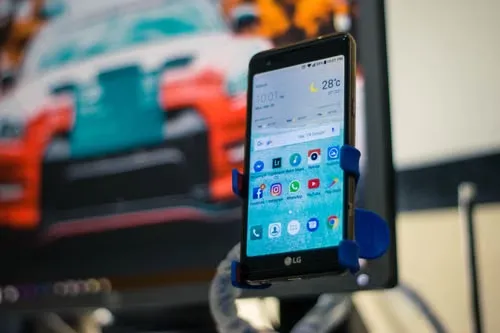
Build iOS applications using Swift and SwiftUI, with full integration of Apple platform APIs including HealthKit, ARKit, Core Location, Push Notifications, and in-app purchase.
Android Development
Build Android applications using Kotlin and Jetpack Compose, with full integration of Android APIs including Google Maps, Biometric Auth, Camera2, NFC, and Google Pay.
Biometric and Device Authentication
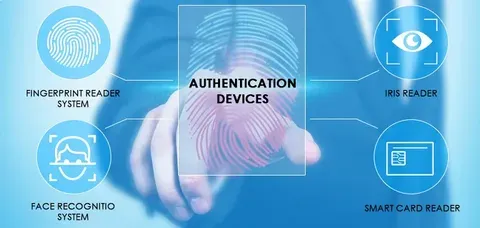
Implement Face ID, Touch ID on iOS, and Android BiometricPrompt for secure, frictionless authentication that uses the device's built-in security hardware.
Camera and AR Integration
Build applications that use the device camera for AR overlays, barcode scanning, document capture, or image processing using ARKit, ARCore, and native camera APIs.
Health and Sensor Integration
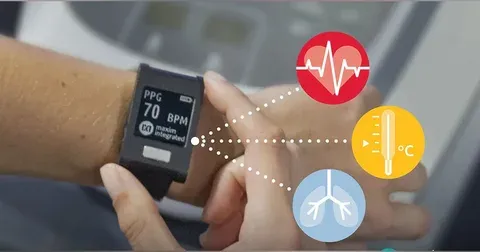
Integrate with Apple Health, Google Fit, and device sensors for fitness, health monitoring, or IoT applications requiring accurate, platform-calibrated sensor data.
App Store Submission and Release Management
Handle the full App Store Connect and Google Play Console submission process, including screenshots, app descriptions, age ratings, and the review response process.
How Businesses Use This
Real-world applications across industries — drag or click the cards to explore.


Health Monitoring iOS App
A healthcare company needed an iOS app that read data from HealthKit and displayed trends. Full HealthKit integration required native iOS development and could not be achieved to the required depth with a cross-platform framework.
Business Outcomes You Can Expect
Full App Store Process Handled
Submission, metadata, screenshots, review management, and release configuration for both stores are handled as part of the project, not left as a final hurdle.
Shared Backend Architecture
Both platform codebases connect to the same backend API, so the data layer is built once and the native frontends handle the platform-specific presentation and device integration.
Reliable Hardware Integration
Biometric authentication, NFC, camera, health sensors, and other hardware integrations work as documented when built with native APIs, without cross-platform edge cases.
Best Available Performance
Code compiled for the native runtime without a cross-platform abstraction layer produces faster animations, lower memory usage, and more responsive interactions.
Platform-Appropriate User Experience
Native applications use the interaction patterns, navigation conventions, and animation characteristics that users expect on each platform, producing a more natural experience.
Full Platform Capability
Native development provides unrestricted access to every API and capability the platform exposes, without waiting for a cross-platform framework to add or fix support.
Questions Before We Start
A Few Things Clients Usually Ask
Find answers to common questions about Native Apps solutions, setup procedures, scoping timelines, and deliverables.
When should we choose native development over a cross-platform framework?
Native is the stronger choice when your app needs deep integration with platform-specific capabilities — ARKit, HealthKit, NFC, high-performance camera processing, or complex animations — that cross-platform frameworks do not fully support. If your app is primarily displaying data, forms, and standard UI patterns, a cross-platform approach like Flutter or React Native will typically deliver a comparable experience at lower cost. We assess your specific requirements during scoping and recommend the right approach.
Can we build for both iOS and Android simultaneously?
Yes. We develop for both platforms in parallel, sharing the API and backend design across both. Platform-specific features are implemented separately in each codebase. Timeline for both platforms together is typically 25 to 40 percent longer than a single platform, not double — because the design, backend, and shared features are done once.
How do you handle App Store review and approval?
App Store review can take one to seven days on the first submission and is sometimes faster for updates. We prepare all required assets, write the store listing copy, and handle the submission. If a review rejection occurs, we address the specific reason provided and resubmit. We have not had a project fail to achieve app store approval, though the timeline to achieve it varies.
What happens to the source code at the end of the project?
The source code is yours. We deliver the full Xcode and Android Studio projects in a Git repository, including build configuration, signing certificates, and deployment instructions. We provide a handover session covering the project structure, how to update and release new versions, and how to manage the CI/CD pipeline if one was set up.